Join the APEX Community
Subscribe for the latest tech updates and exclusive offers.


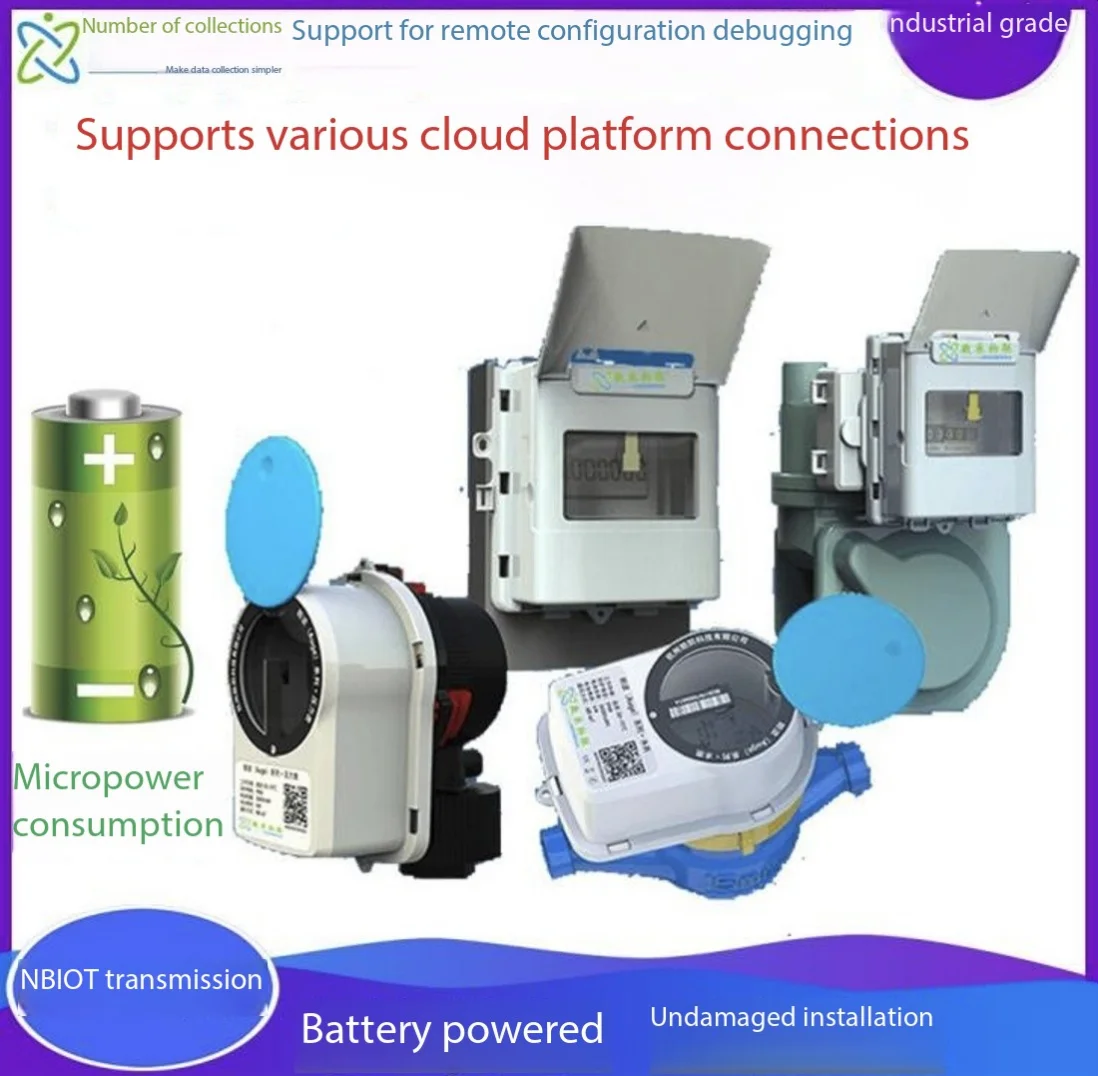
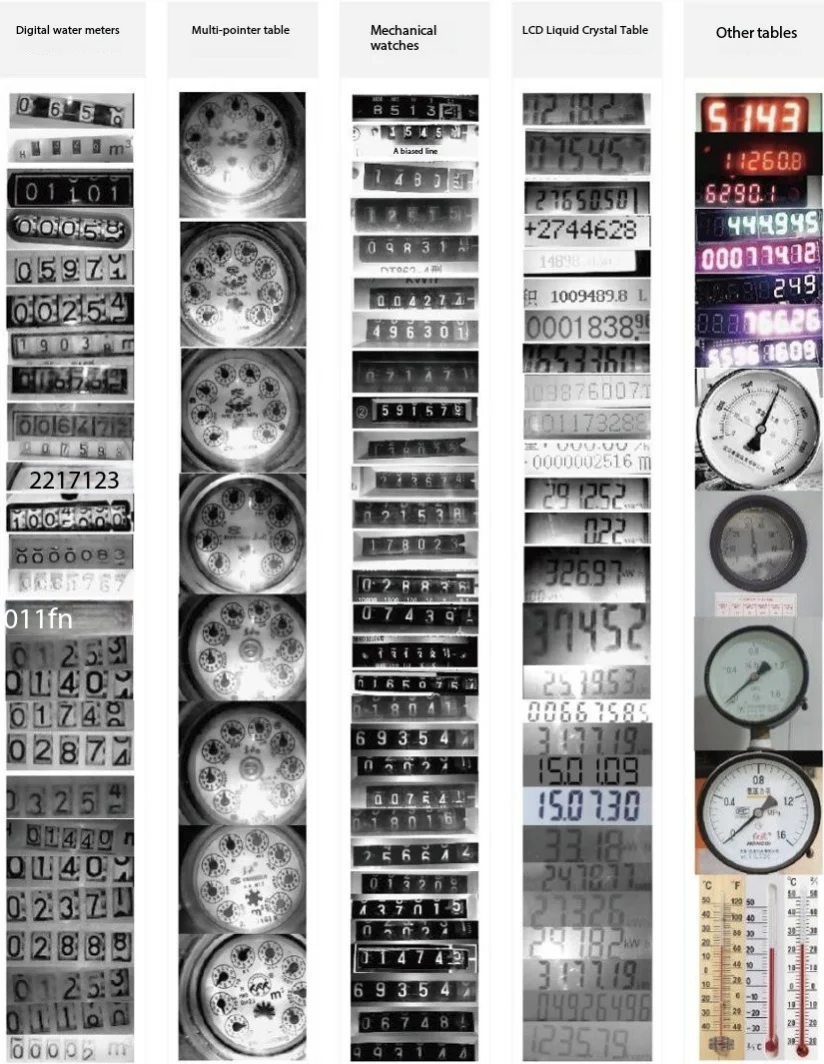
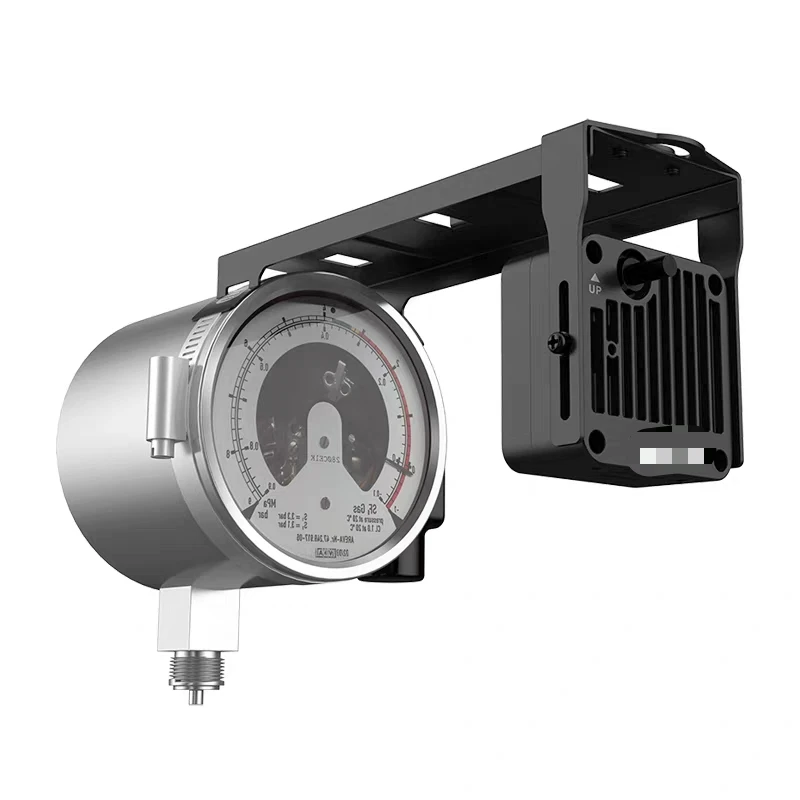 SC-LP-CAM series battery powered wireless timing photo camera meter reading terminal is a data acquisition terminal for rapid meter reading launched by Shanghai Digital Mining Internet of Things Technology Co., Ltd. for traditional old mechanical meters (water meters, electricity meters, gas meters, pressure meters, etc.) or meters without direct communication. The camera terminal takes photos according to the set time interval, and uploads the photos to the server for analysis and identification, and obtains the number of the instrument. The user can view the original picture and the identification result data.
The terminal has built-in long-life lithium battery, which supports the NB-IOT / WiFi communication mode, which can overcome the wireless communication occlusion caused by the special field environment, greatly simplify the site deployment time and reduce the construction cost.
|
model |
Characteristics of the description |
|
SC-LP-CAM |
NB-IOT, long life lithium battery power supply, suitable for low acquisition frequency, difficult external power supply occasions. With cloud platform use, standard instrument identification algorithm. Only one to one. |
|
SC-GP-CAM |
4G / WiFi communication, 220V AC / 12V DC power supply, suitable for high acquisition frequency or convenient external power supply occasions. Support regular photo upload FTP, identification software needs to be customized separately, support one-to-many use. |
|
SC-GP-CAMEXT |
4G / WiFi communication, 220V AC / 12V DC power supply, suitable for high acquisition frequency or convenient external power supply occasions. Support external signal trigger photo upload FTP, can be used for production line, body capture and other scenes. |
We solemnly promise that:
You buy not only the product, but also the meticulous and thoughtful technical support services!!!( =^_^= )
This product, the site only need ordinary workers can install! No debugging!
We provide free remote guidance, remote configuration and debugging service, and send the data to the user-specified cloud platform.
Free Internet of Things solutions consulting services!
Type of image format: jpg
Picture pixel: a maximum support of 640 * 480
Acquisition frequency: 1 minute ~30 days, support remote configuration
Wake up mode: interval wake up; timing wake up; alarm clock wake up
Power supply mode: 3.6V long-life lithium battery power supply (not rechargeable)
Battery capacity: 9,000 mAh
Power consumption: the current is less than 200 mA
Standby current: less than 5 uA
Material: PC plastic (enclosure)
Main body protection level: IP65
Size of water meter: 135mm 95mm 55mm
Size of electricity meter: 120mm 110mm 50mm
Main installation method: paste or narrow band hoop tightening
Ambient temperature-25°C~75°C, humidity: 0~95% (non-condensing)
This product uses special lithium battery with long life and low self-discharge, which can take photos 2500~3000 times. Take photos once a day, and you can use them for 5 to 7 years. Other photo frequency users can convert it by themselves.
Interval time mode means that the user specifies a certain interval for collection and reports it after several samples. This interval should be greater than 1 minute. For example, a user needs to collect data every 10 minutes at a sampling interval (M): 10. Refer to the platform setting interface for the specific configuration.
The hour time mode is similar to the working principle of an alarm clock, which is set for the clock. Sampling Time and Reporting Time represent 23 to 0 points from left to right. Refer to the platform setting interface for the specific configuration.
During the hibernation period, the device cannot update the parameters and must be automatically awakened to communicate with the platform server and update the parameters. If you need to wake up immediately for manual debugging. The small strong magnet can be close to the designated area of the device for 1~2 seconds and removed, the device will automatically reset and restart, enter the wake-up photo mode.
v Simple installation, fast deployment, help the Internet of things project quickly landing
v Provide the original photos for easy verification
v Non-invasive collection, does not affect the normal operation of the equipment
v Support remote configuration parameters and FOTA remote upgrade to minimize the personnel cost of site construction and maintenance
The default of the product is connected to the designated Internet of Things platform, and the platform interface is as follows:
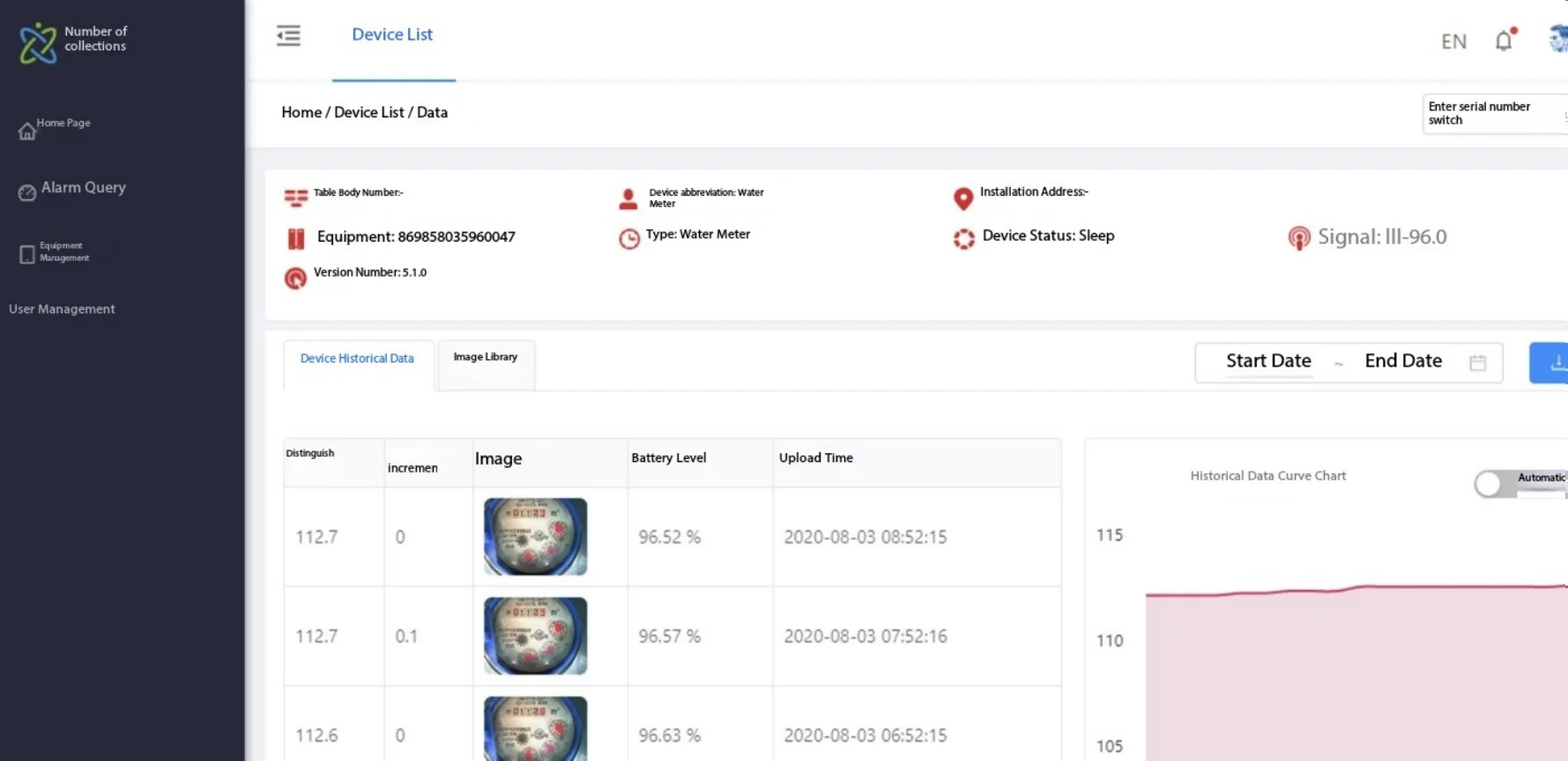
Computer-side browser interface
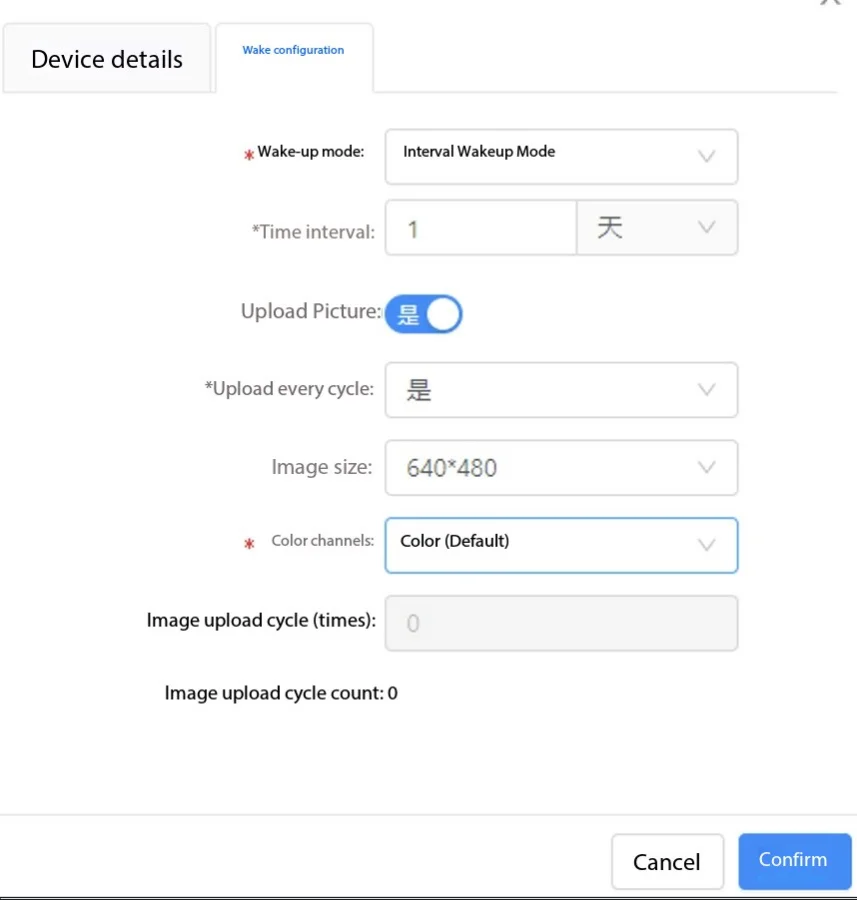
Parameter configuration interface
After login, click Device Management-Management to configure the corresponding device parameters.
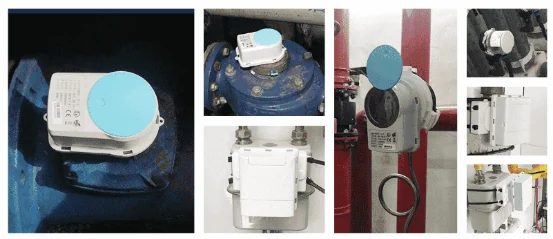
Instrument collection
1. When installing the equipment, the camera should be aligned with the dial number as far as possible, and the clamshell should be kept normally closed.
2. Do not move again after installation to prevent impact identification. If you need to adjust the position, please contact the technician to reconfigure the identification algorithm
3. The equipment should be kept away from the wet and rainy installation environment.
4. After the equipment is installed, it can be auxiliary fixed with the tie belt when necessary.
5. The platform sets that the device wake-up cycle should not be too short, otherwise it will cause frequent uploading of data and lead to power depletion. The device can upload photos 2000~3000 times.
7. When the dial iron cover is rusty, or the dial has dirt, be sure to treat the dial clean with a spatula or shovel to make the surface dry and free of dust or oil pollution.
9. Install in the outdoor equipment, need to pay attention to prevent fog, you can stick a bag of 1g weight of calcium chloride desiccant on the inner wall.
1. Wipe the water dial and apply a ring around the dial.
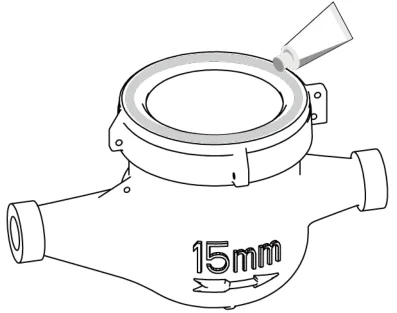
2. Insert the desiccant according to the installation environment of the water meter.
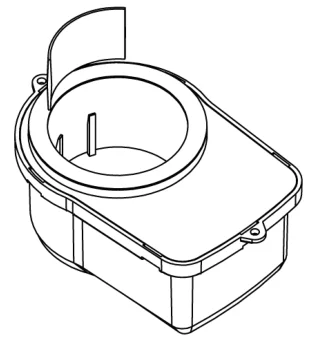
3. Try to ensure that the orientation of the reader and the dial number as far as possible.
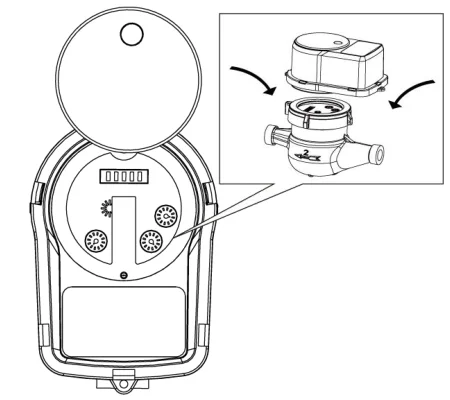
4. Wait for the device to automatically wake up (according to the platform Settings) to see if the photo is clear. You can also use a magnet to activate the device, the light on the activation successfully.
5. After the image is uploaded successfully, contact the technician to configure the equipment.
1. Tear off the 3M back glue
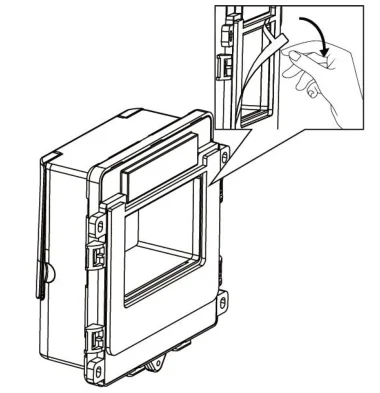
2. Open the outer cover of the meter reader.
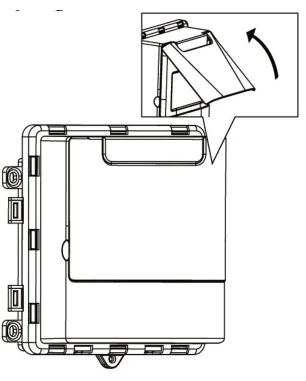
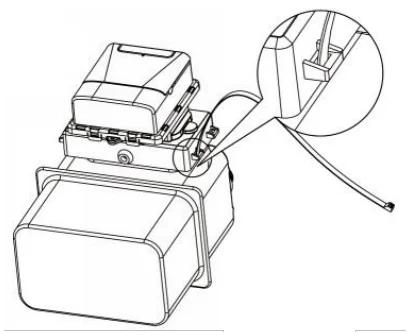
According to the actual situation, use the tie or paste way fixed
3. Try to ensure that the orientation of the reader and the dial number as far as possible.
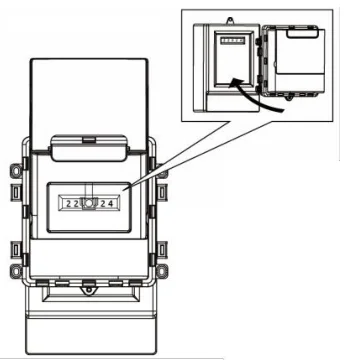
4. Wait for the device to automatically wake up (according to the platform Settings) to see if the photo is clear. You can also use a magnet to activate the device, the light on the activation successfully.
5. After the image is successfully uploaded, contact the technician to configure the equipment and make it read normally.